InferenceV2 Client
The InferenceV2 Client is a specialized HTTP client built into the console for interacting with models served using the Open Inference Protocol (V2). It provides a streamlined interface for sending inference requests and inspecting model metadata, along with real-time health monitoring.
The InferenceV2 Client is automatically selected when a service run exposes an Inference V2 endpoint. This applies to models deployed with the MLflow Serve or Scikit-learn Serve runtimes — both of which expose models via the Open Inference Protocol V2.
Accessing the InferenceV2 Client
When a service run is in a RUNNING state and provides an Inference V2 endpoint, the CLIENT button becomes available on the service list or run detail page. Clicking the button opens a dialog with the InferenceV2 Client.
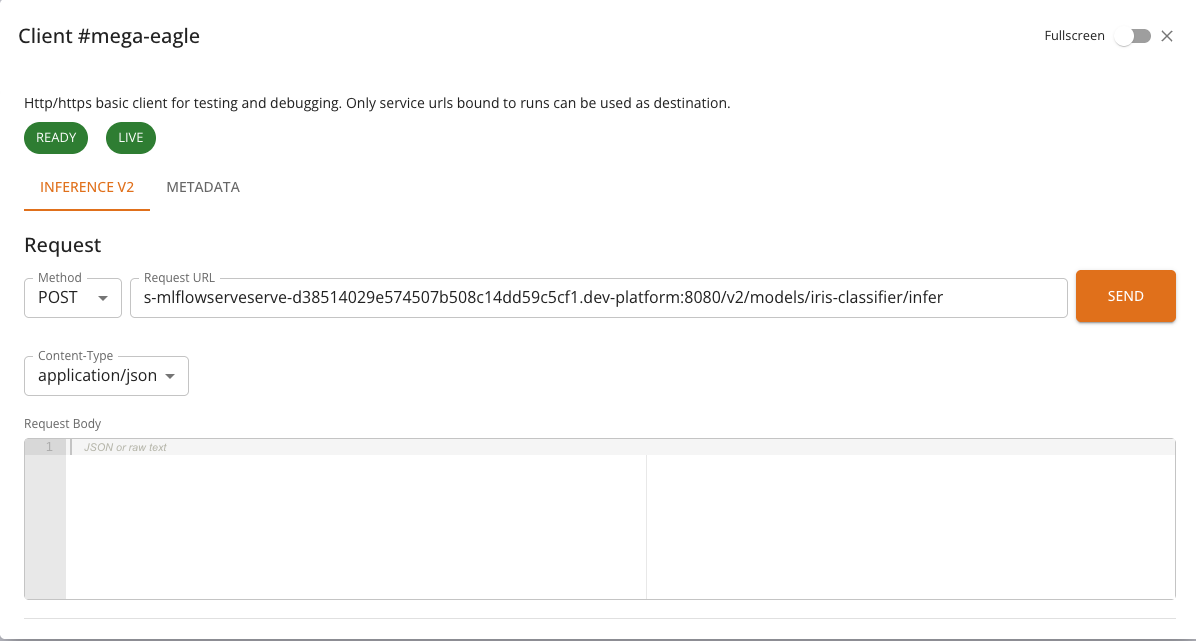
If the service does not expose an Inference V2 endpoint, the console will use the standard HTTP Client or the Chat Client, depending on the service type.
Health Monitoring
At the top of the InferenceV2 Client, two health indicators are displayed:
- Ready: Indicates whether the model server is ready to accept inference requests. Calls
GET {baseUrl}/v2/health/ready. - Live: Indicates whether the model server process is alive and responsive. Calls
GET {baseUrl}/v2/health/live.
Each indicator is shown as a colored chip: green when healthy, red when unhealthy. If a health check fails, an error message is displayed below the chips. Health checks are performed automatically when the client opens and reflect the current state of the model server.
Tabs
The InferenceV2 Client provides two tabs:
Inference
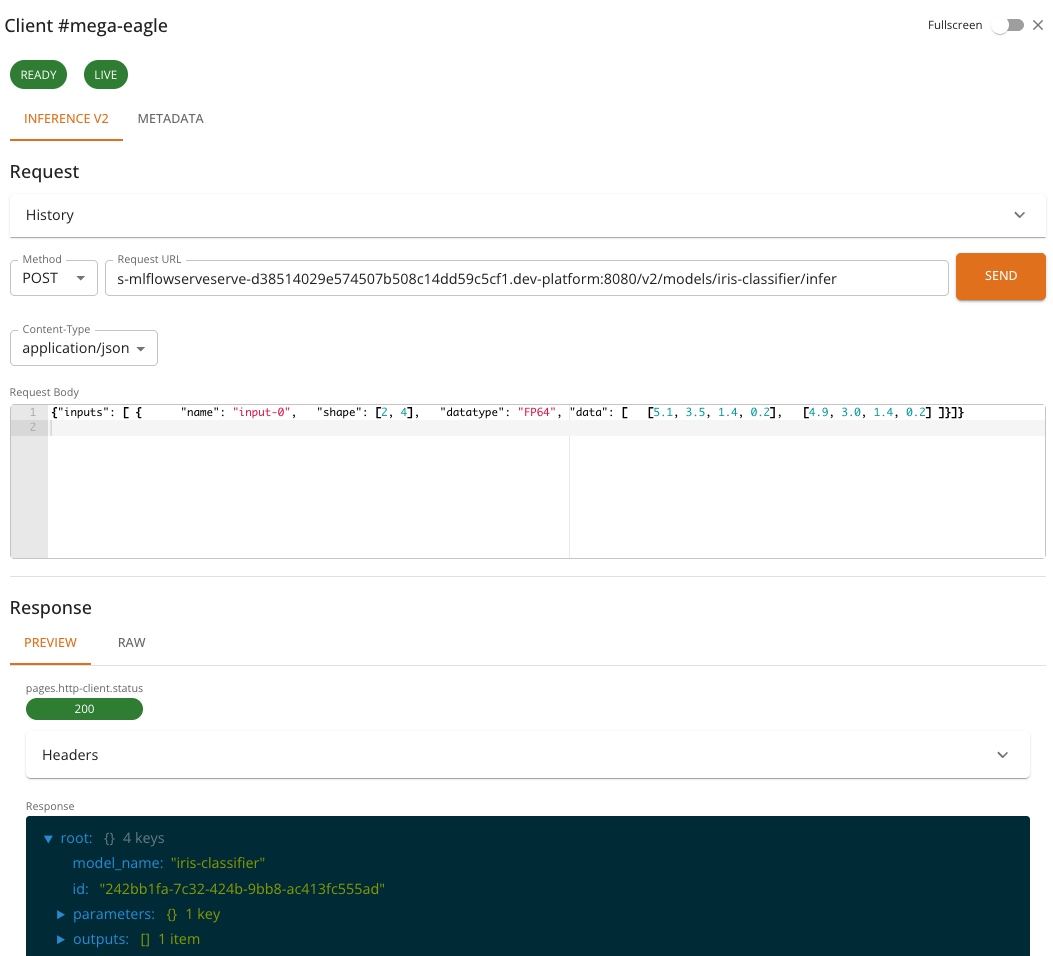
The Inference tab is used to send prediction requests to the model. It provides:
- A pre-configured POST request to
{baseUrl}/v2/models/{model}/infer - A JSON request body editor for composing the inference payload
- Response viewer for inspecting the model's prediction output
- Request history for reviewing and replaying previous requests
The request body must follow the Open Inference Protocol V2 format. A typical inference request looks like:
{
  "inputs": [
    {
      "name": "input-0",
      "shape": [2, 4],
      "datatype": "FP64",
      "data": [
        [5.1, 3.5, 1.4, 0.2],
        [4.9, 3.0, 1.4, 0.2]
      ]
    }
  ]
}
And the response follows the V2 protocol format:
{
  "model_name": "iris-classifier",
  "id": "242bb1fa-7c32-424b-9bb8-ac413fc555ad",
  "parameters": { "content_type": "np" },
  "outputs": [
    {
      "name": "output-1",
      "shape": [2, 1],
      "datatype": "INT64",
      "parameters": { "content_type": "np" },
      "data": [0, 0]
    }
  ]
}
Metadata
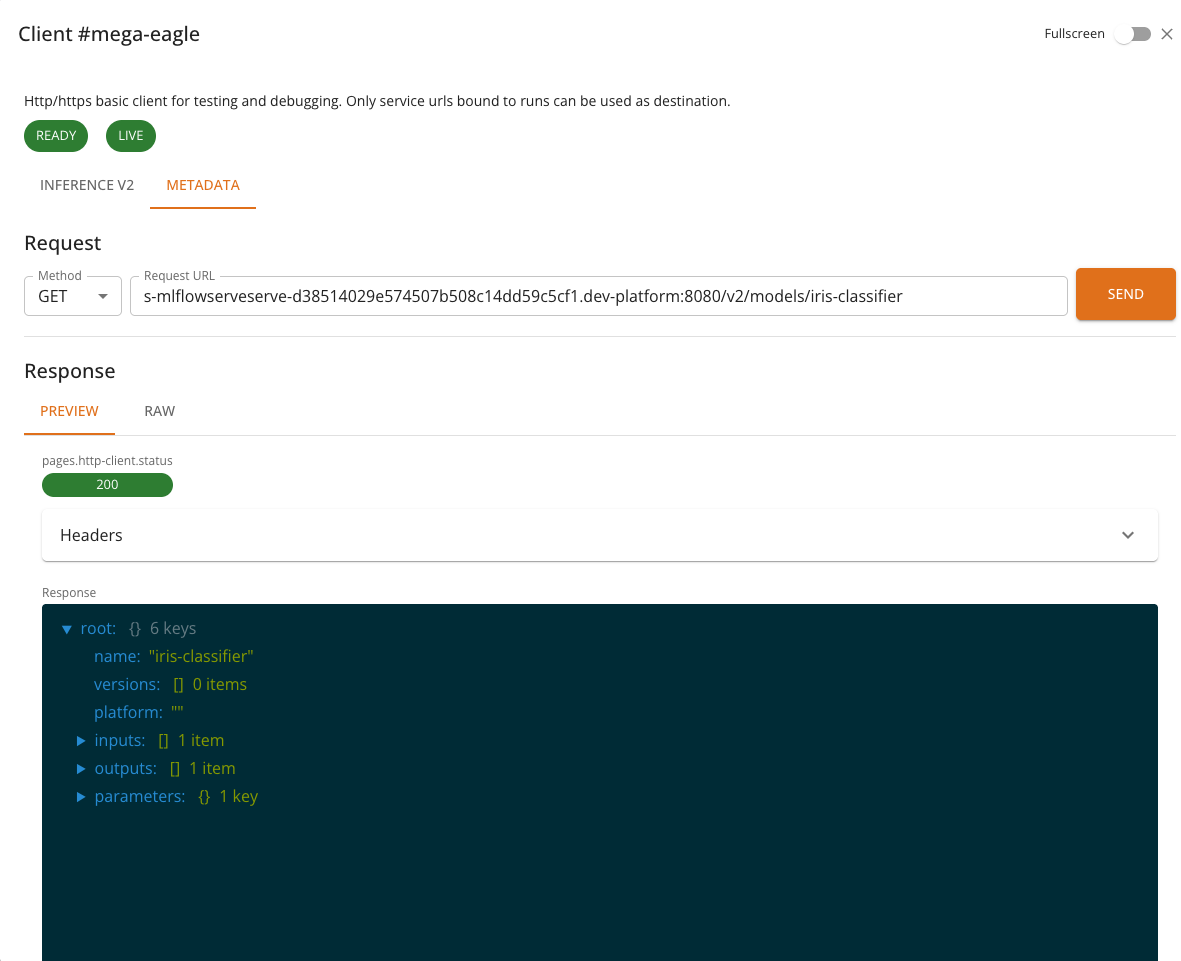
The Metadata tab retrieves model metadata from the server. It sends a GET request to {baseUrl}/v2/models/{model} and displays information such as:
- Model name and version
- Supported inputs and outputs (names, shapes, data types)
- Platform and runtime details
Features
- Pre-configured endpoints: The inference and metadata URLs are automatically constructed from the service's base URL and model name — no manual URL entry is required.
- Health checks: Real-time readiness and liveness indicators give immediate feedback on model availability.
- Request history: Previous inference requests and their responses are saved and can be replayed, making iterative testing easier.
- JSON editor: The request body editor supports syntax highlighting and validation for JSON payloads.
- Response viewers: Responses can be viewed as formatted JSON, raw text, or rendered HTML.
- Full-screen mode: Toggle full-screen mode for more working space.
Usage
- Deploy an ML model using the MLflow Serve or Scikit-learn Serve runtime. See MLflow Serve Runtime or Scikit-learn Serve Runtime for details.
- Wait for the service to reach the RUNNING state.
- Click the CLIENT button in the service list or run detail page.
- Check the health indicators at the top — both Ready and Live should be green.
- In the Inference tab, compose your request body in the JSON editor.
- Click Send to submit the inference request.
- Inspect the response in the viewer below.
- Optionally, switch to the Metadata tab to view model information.
Notes
- The InferenceV2 Client restricts requests to POST for inference and GET for metadata — the HTTP method cannot be changed manually.
- All communication is mediated by the platform backend. The model's service URL is internal to the cluster and not accessible from outside the platform.
- Request history is stored locally in the browser and is not shared across users or devices.
- The number of saved history entries is limited to the 10 most recent requests.