Invoke, Use, and Expose Services
When executing runs, tasks of type service will result in a deployment with an HTTP service published inside the platform.
Those runs will receive a unique, addressable identifier along with an IP address and an internal service URL. The detailed information are stored in the run status field, under the service keyword. Together with the base service url, all well known urls will be registered and exposed to users.
service:
  name: s-containerserve-9271ab33c0364d549c89f8b2834ae141
  type: ClusterIP
  clusterIP: 172.16.143.129
  ports:
    - name: port5678
      port: 5678
      protocol: TCP
      targetPort: 5678
  url: s-containerserve-9271ab33c0364d549c89f8b2834ae141:5678
By calling the URL, users are thus able to invoke their function interactively.
The service view will present at any given time the status of active services, i.e. runs with a service exposed. Users can get a quick glimpse of the health of their deployments, with quick actions available.
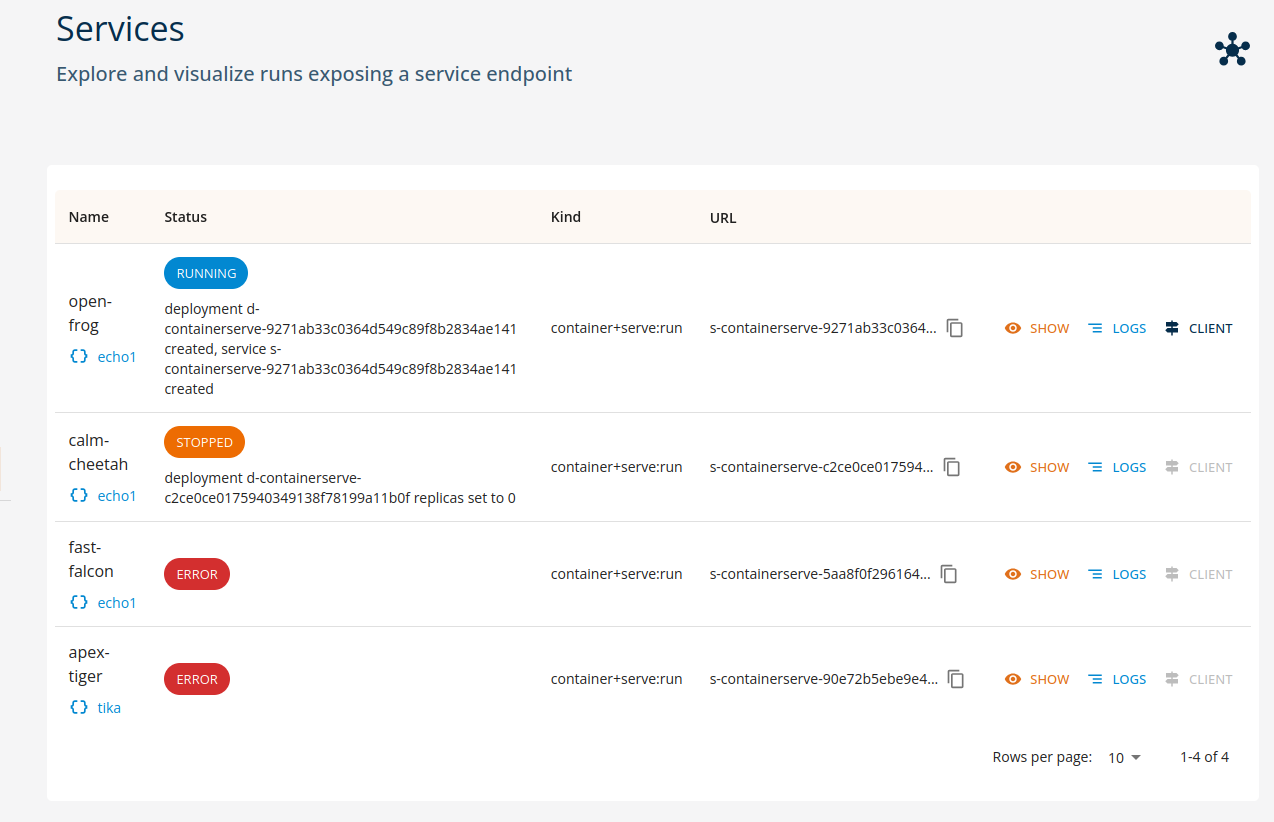
As we can see from the screenshot, the current status is highlighted, and any contextual message is directly reported.
Important!
Do note that service URLs are not exposed outside the perimeter of the platform. Only clients from inside the platform, such as workspaces, other functions and the core console are able to access. In order to expose the service externally an api gateway is required.
Service invocation
Services which are in an healthy state can be invoked from inside the platform, either manually (by custom code or standard HTTP clients) or via the python SDK invoke method on runs.
run = function.run(...)
# invoke the service only when ready!

result = run.invoke(...)
See the SDK Reference documentation for details.
HTTP client
The user console implements a basic HTTP client, able to perform operations on textual content (e.g. text/plain, application/json etc).
By selecting a valid service run and clicking the CLIENT button, the console will open a simplified dialog as depicted in following figure.
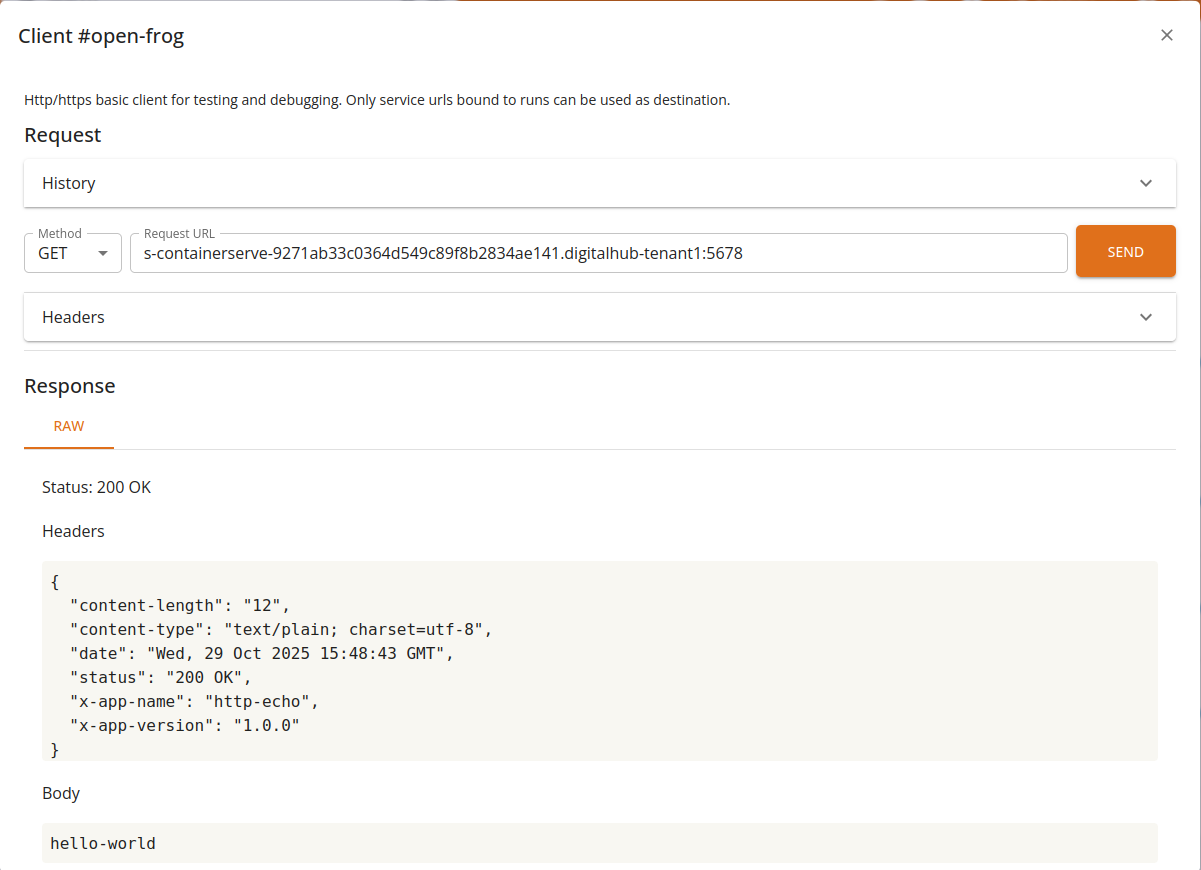
From the client, users will be able to perform basic operations and visualize the results.
Features
- Supports GET/POST/PUT/DELETE operations
- Can invoke internal urls leveraging core as gateway
- Supports custom HTTP headers
- Full request/response history
- Basic raw text support
- Interactive preview for JSON and YAML
Notes
The service is not exposed to the user's browser: access is mediated by the console through the core backend. As such, only a limited set of content is allowed: text-based requests and responses with a reasonable size limit.
Exposing services externally
Various APIs and services (e.g., PostgREST or Dremio data services, serverless functions, ML services) may be exposed externally, outside of the platform, on a public domain of the platform. Using KRM, the operation amounts to defining a new gateway (HTTPRoute resource) that will be transformed into the corresponding ingress routing specification.
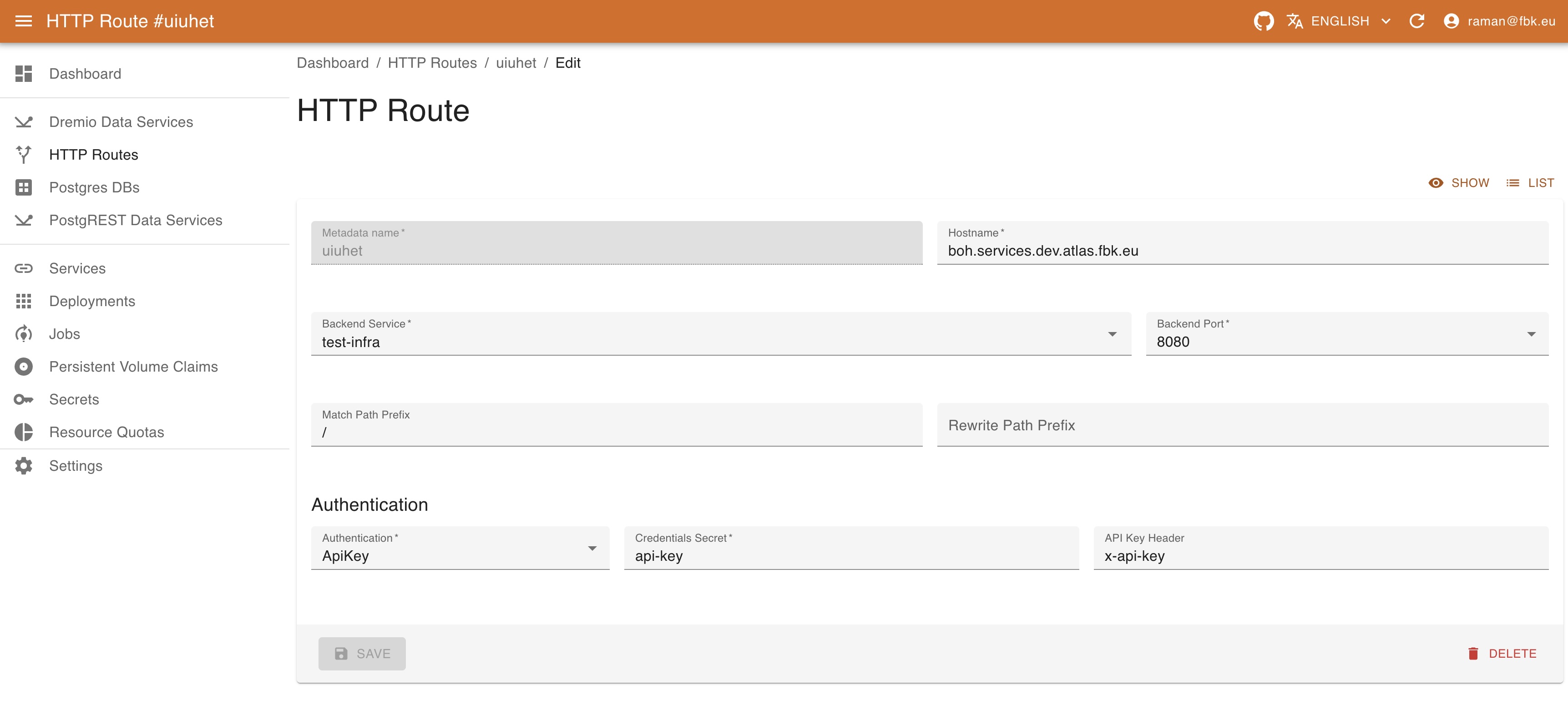
To create a new gateway, provide the following:
- Name of the gateway. This is merely an identifier for Kubernetes.
- Kubernetes backend service to be exposed (select it from the dropdown list and port will automatically be provided).
- Hostname defines the full domain name under which the service will be exposed. By default, it refers to the
servicessubdomain. If your instance of the platform is found in theexample.comdomain, this field's value could bemyservice.services.example.com. - Relative path prefix to expose the service on.
- Rewrite path prefix to rewrite the path of the request.
- Authentication information. Currently, services may be
- unprotected (
None) or - protected with
Basicauthentication, specifying the secret with the httpwd credentials. - protected with
ApiKeyauthentication, specifying the secret with the token name / token value pairs and the header name. - protected with
JWTconfiguration, specifying the information about JWKS, issuer, optional audiences to check and claim mapping.
- unprotected (